

The Mobile PC Doctor app
Your repair, in your pocket
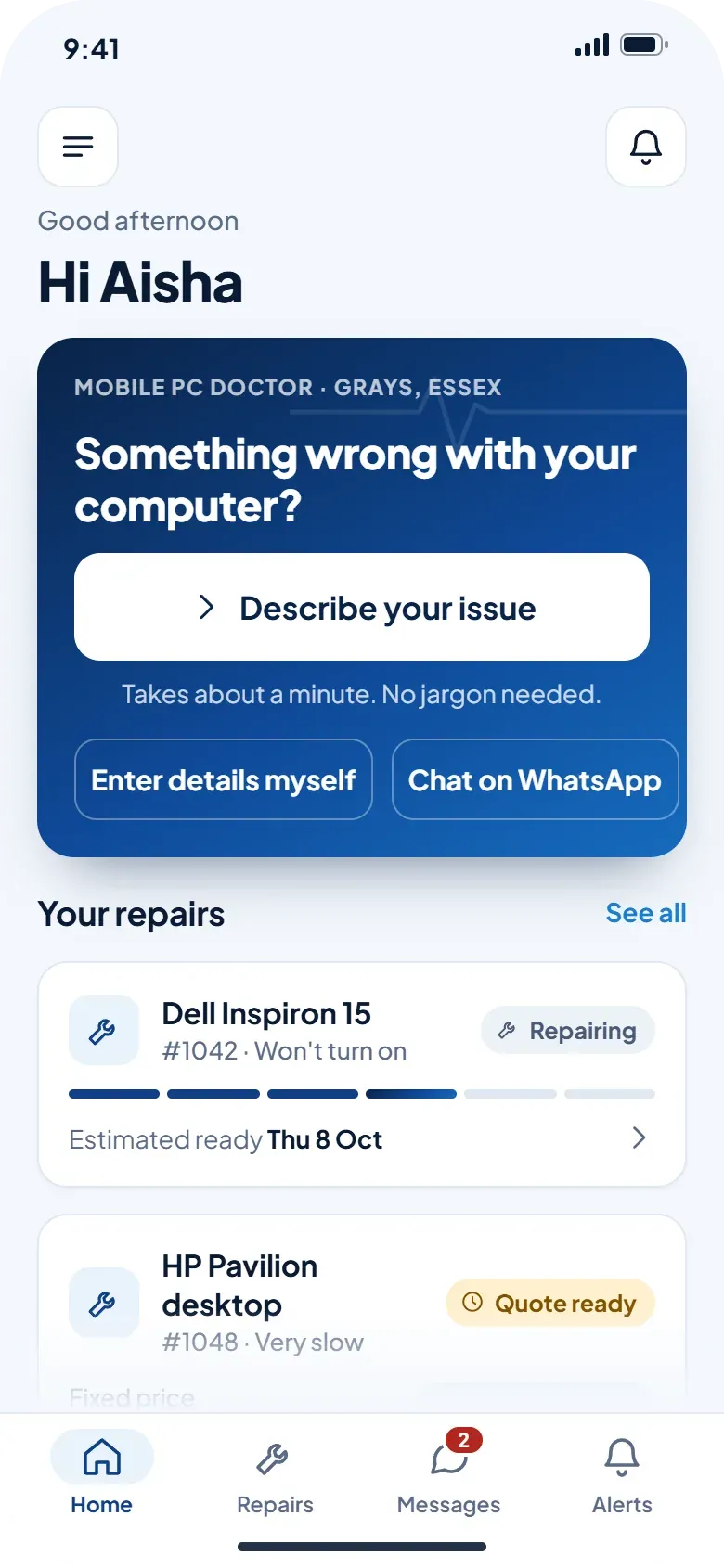
Tell us what is wrong, get a quote before any work, watch the repair move along and pay, all from your phone.
Coming to the App Store and Google Play. Until then you can describe your issue here or message us on WhatsApp and we pick it up the same way.
Describe it
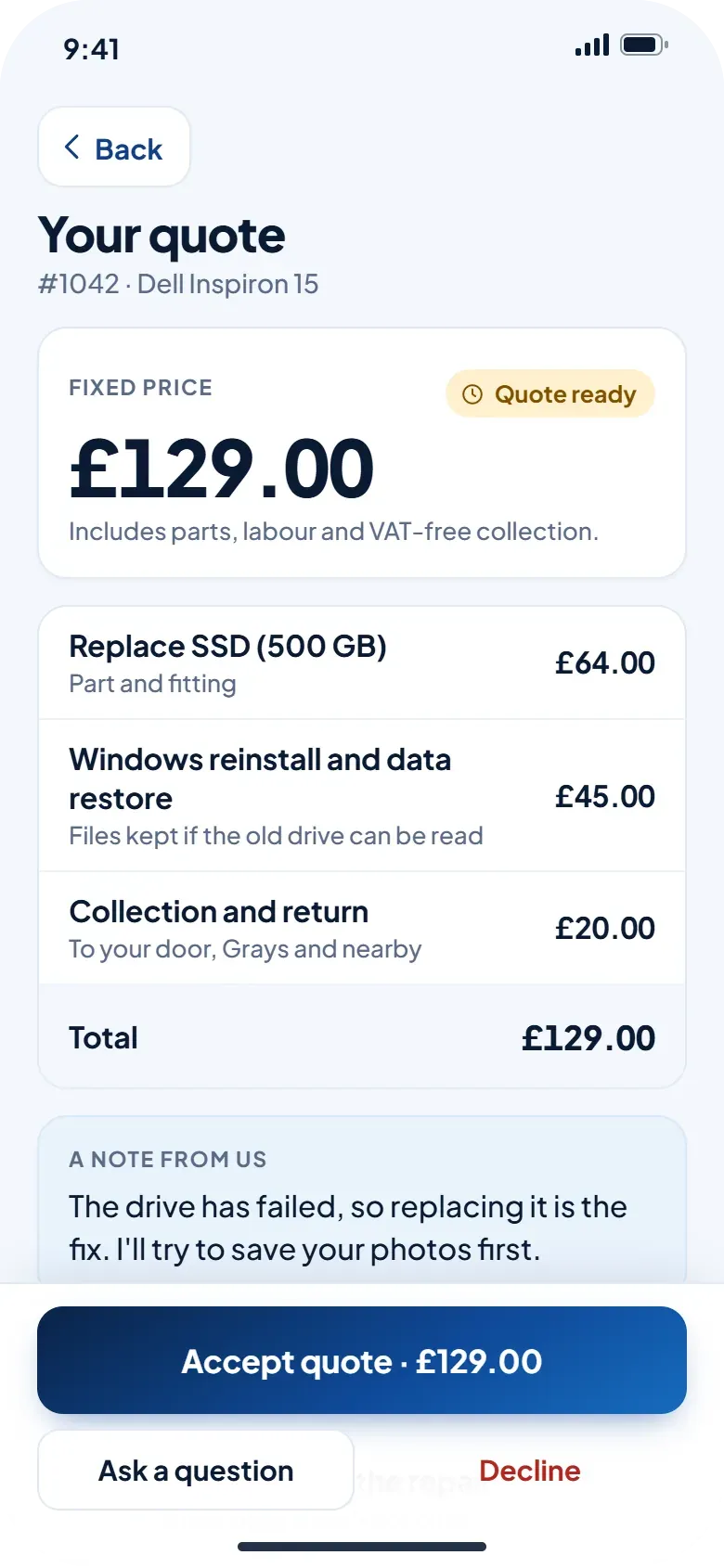
Describe the problem in your own words
Our assistant asks a few simple questions, like when it started and whether anything happened just before. It writes down what you tell us and never guesses a diagnosis. We read it, then reply with the next step.
- Short answers you can tap, or type your own
- Add a photo of the screen, the error or the label
- No jargon and no sign-up before you start
Quote
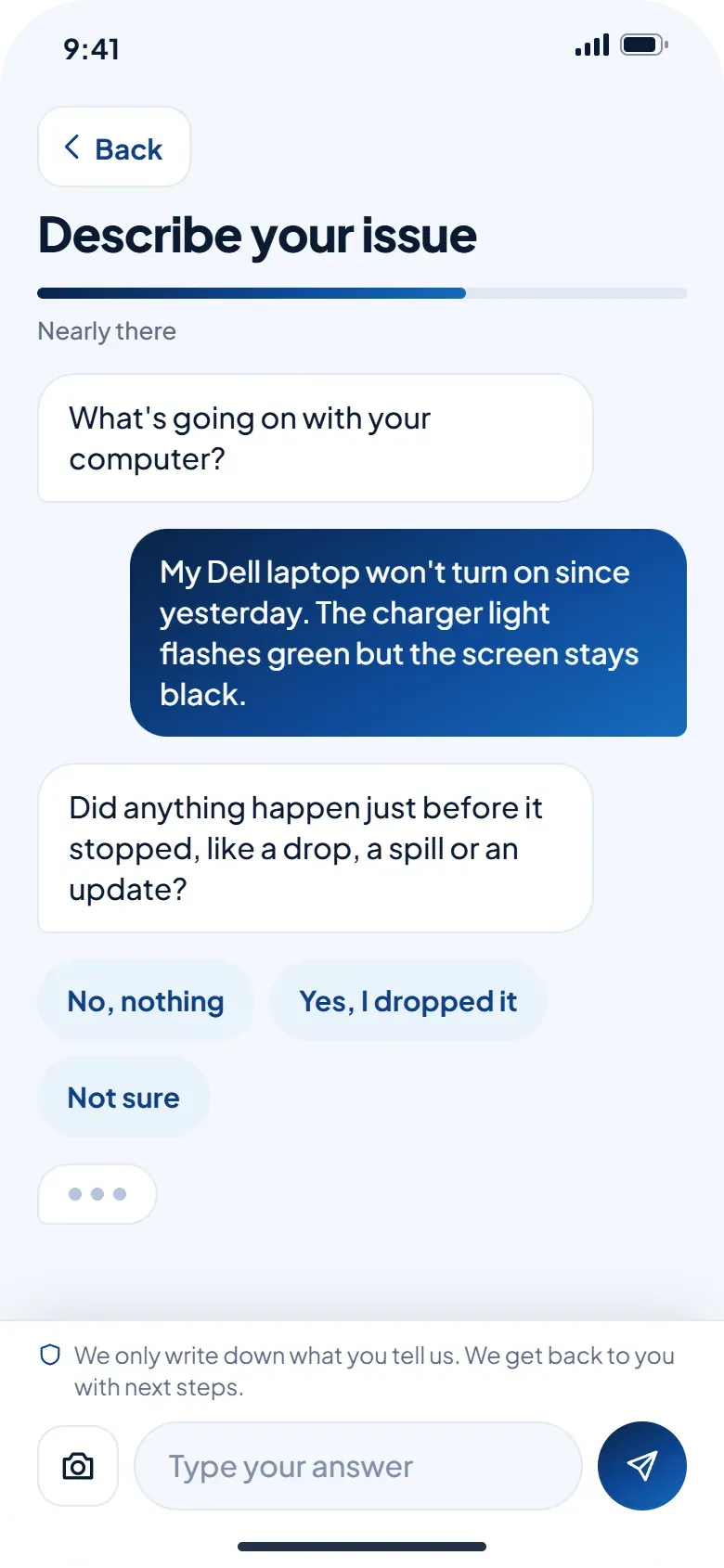
A quote before any work
When we have looked at your device you get a fixed price in the app, broken down line by line. Accept it when you are happy, ask a question, or decline. Nothing is repaired until you say yes.
- Parts, labour and collection itemised
- Accept, ask a question or decline in one tap
- A note from us explaining what we found
Status
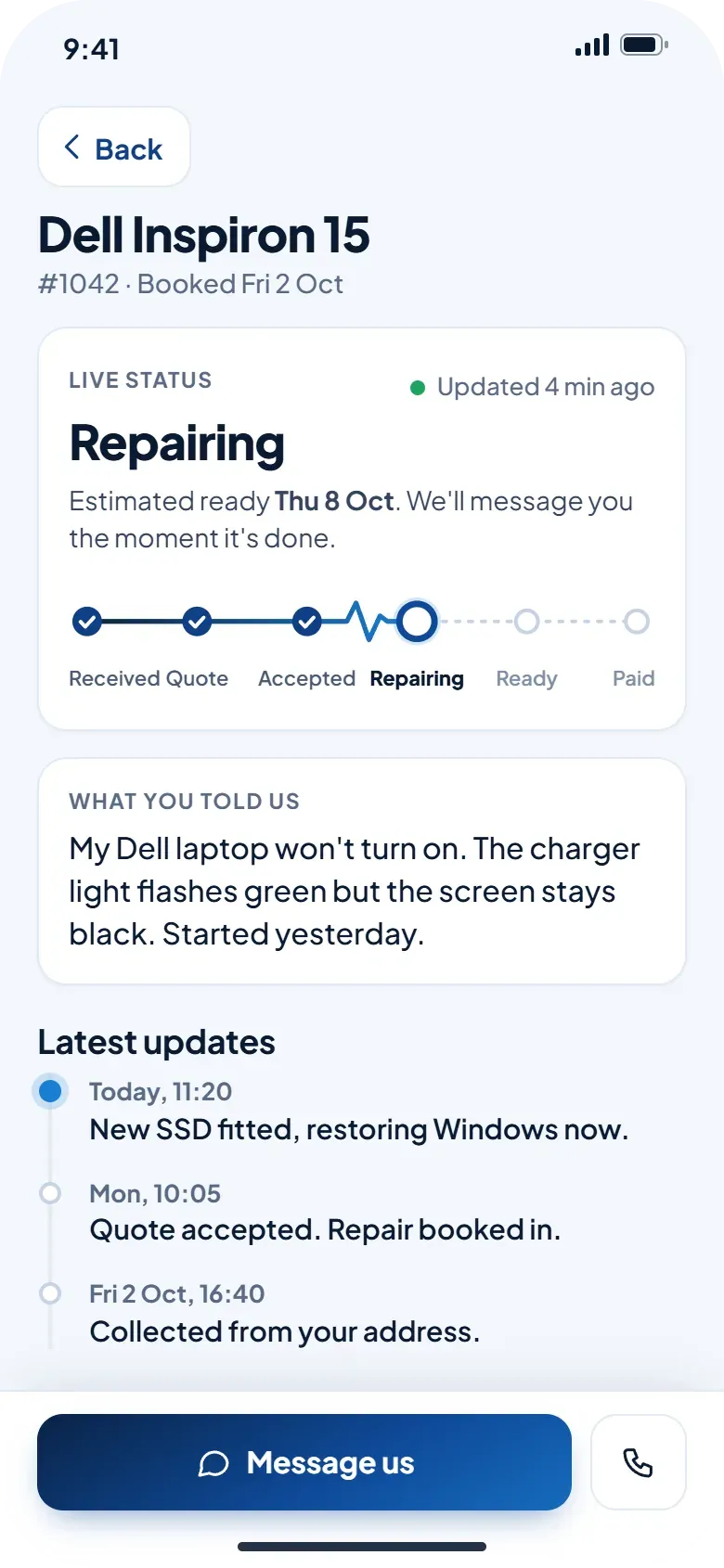
Live status you can see
A pulse line runs from Received through Quote, Accepted and Repairing to Ready and Paid, so you can see at a glance where your repair is up to. Each update comes with a short note and a notification.
- Repairing, ready, on the way: always clear
- Estimated ready date at the top
- Timeline of every update, newest first
Chat
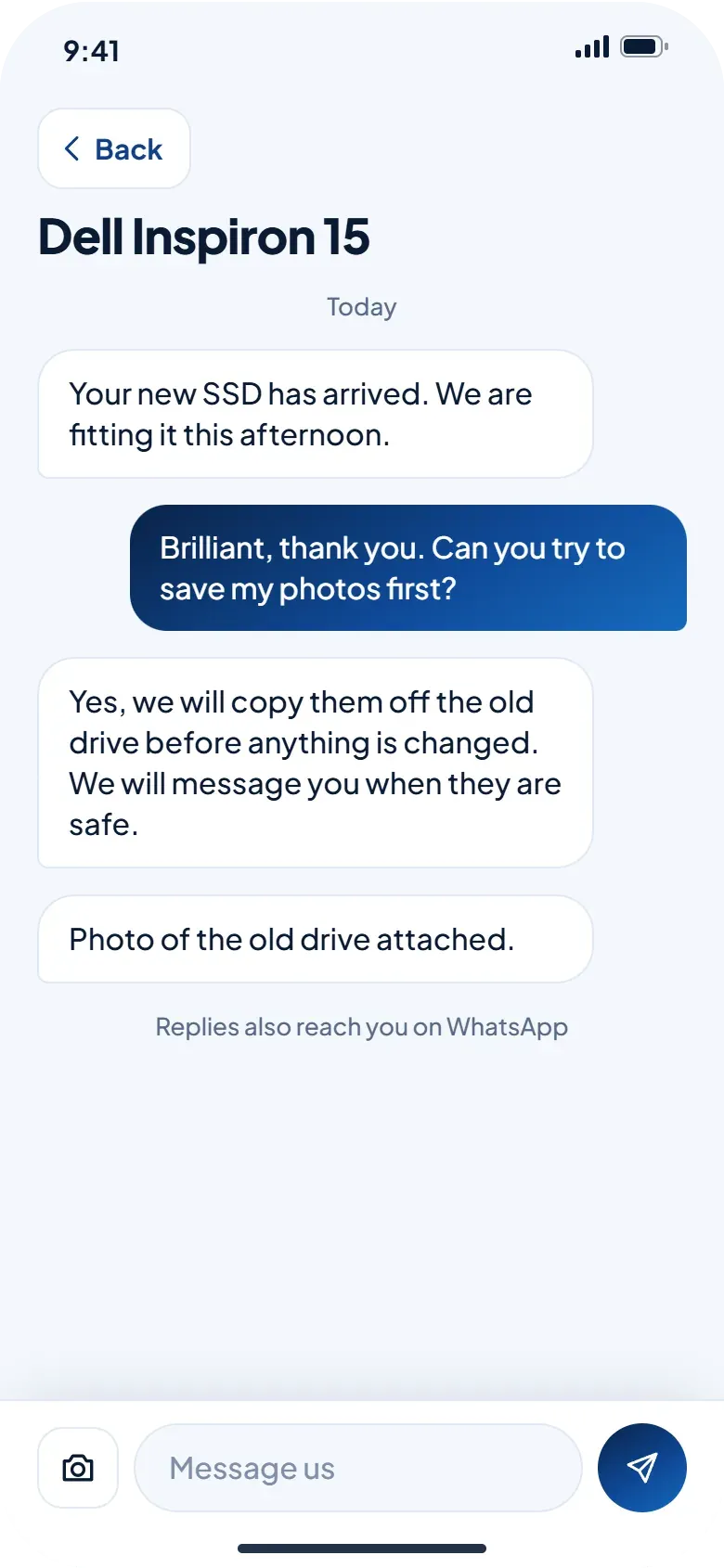
Chat with us in the app
Every message about your repair sits in one thread, so there is no hunting for a text from last week. Prefer WhatsApp? Message us any time and we pick the thread up from there.
- One thread per repair, with photos
- Notified when we reply
- Or message us on WhatsApp
Pay
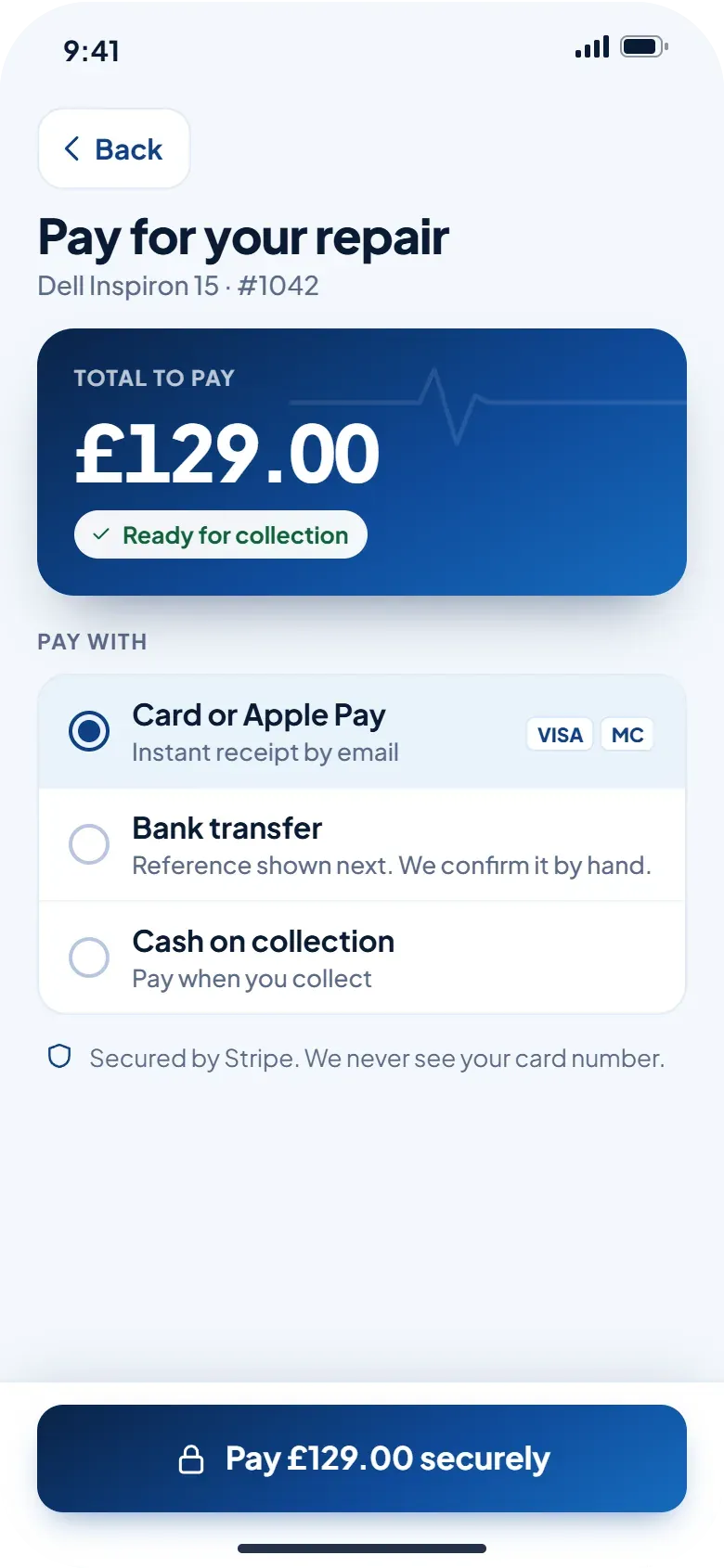
Pay your way
Pay by card, straight from your bank, by bank transfer, or cash when you collect. Card payments go through Stripe's secure checkout, so we never see or store your card number.
- Card or Apple Pay with an instant receipt
- Bank transfer with a reference, confirmed by us
- Cash on collection if you prefer
Peace of mind
Receipts, condition record and peace of mind
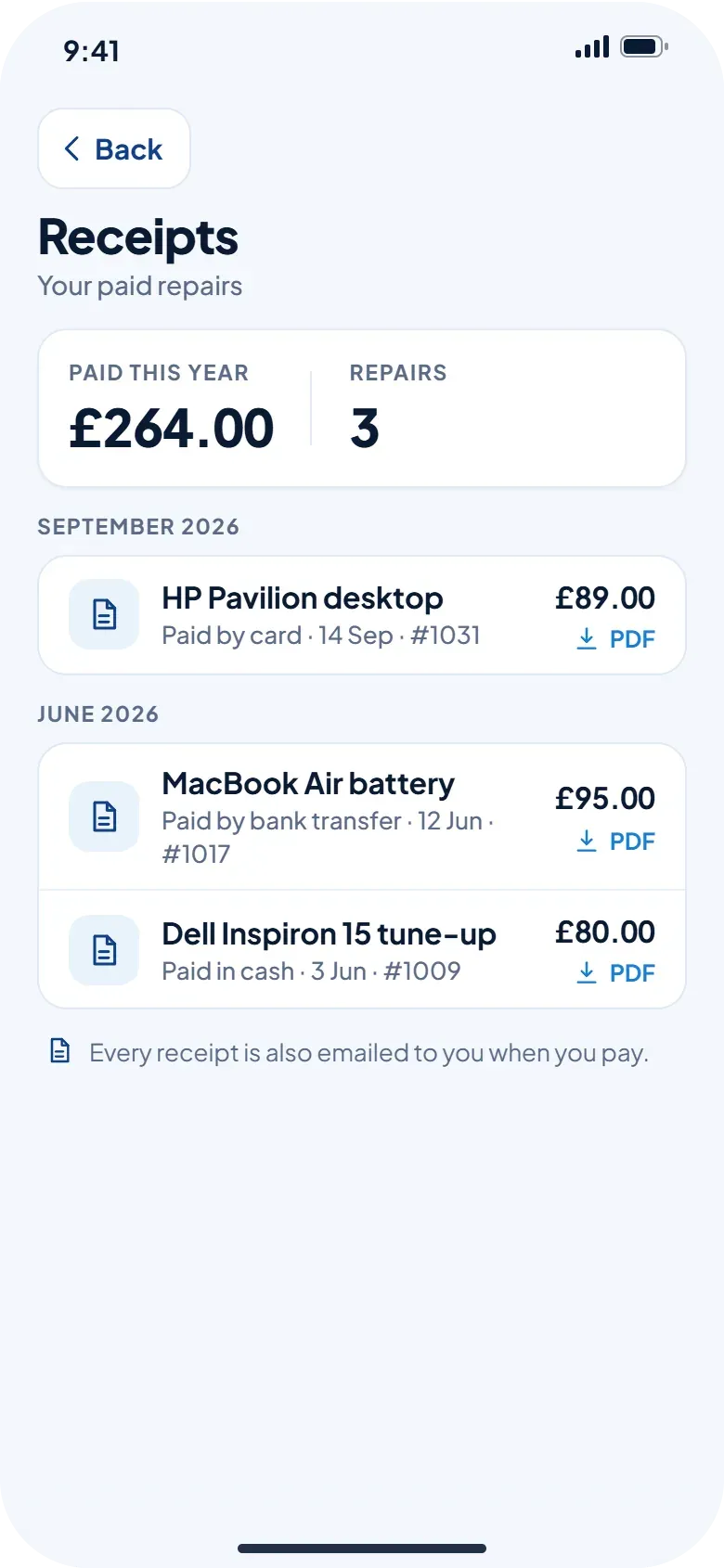
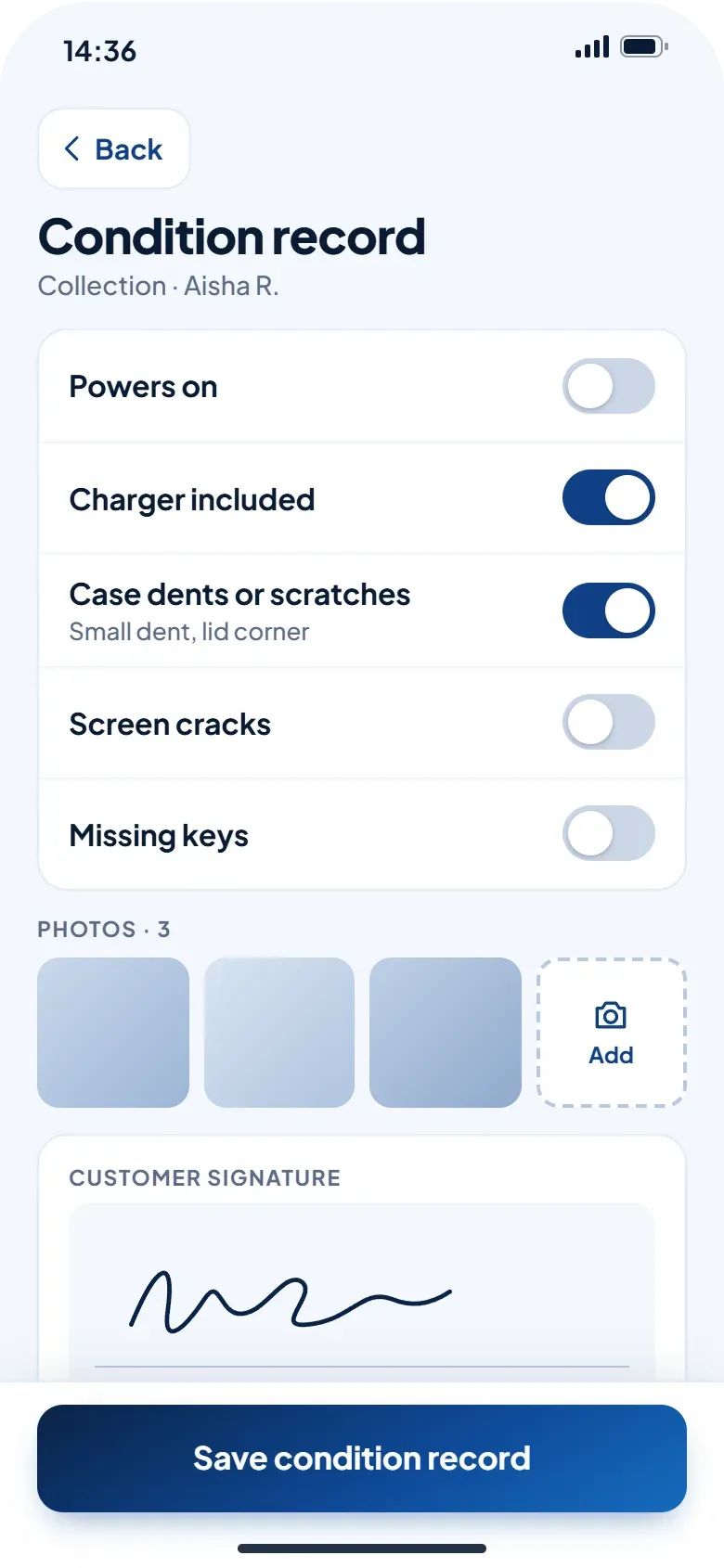
Every receipt is kept in the app and emailed to you when you pay. When we collect your device we record its condition with photos and your signature, and again when it comes back, so everyone agrees on what was handed over.
- All receipts in one list, with totals
- Photos and a signature at collection and return
- Proof of what was done if you ever need us to look again
Flexible
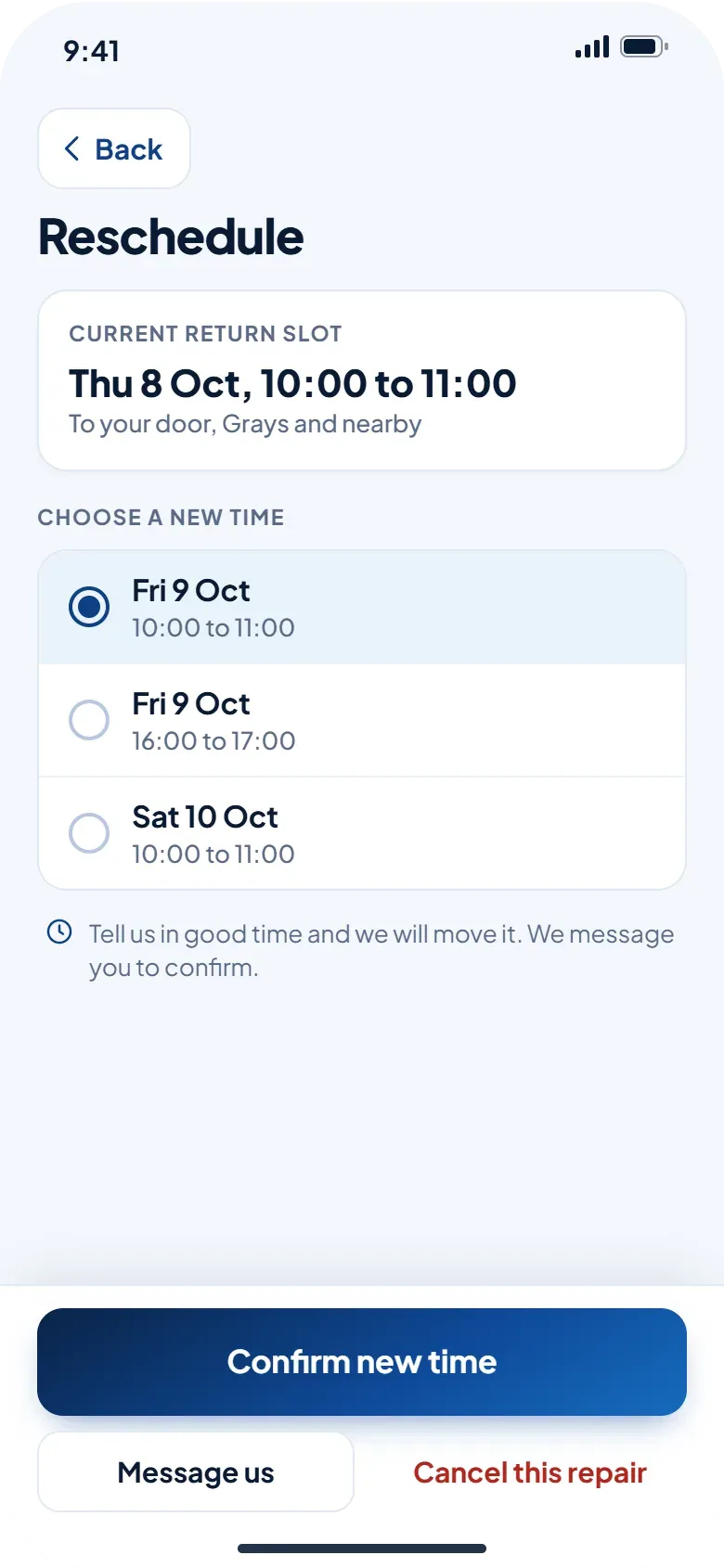
Reschedule or cancel with notice
Plans change. Pick a new collection or return slot in the app, or tell us you would rather cancel. Let us know in good time and we will move it and confirm by message.
- Choose another time from the slots we offer
- Message us from the same screen
- We confirm every change
- We run on our own appEvery repair we take on goes through the same app you use.
- One thread per repairMessages, photos, quote and receipt stay together.
- No app neededPrefer WhatsApp? Everything works the same way.
For technicians
Join our team of repair technicians
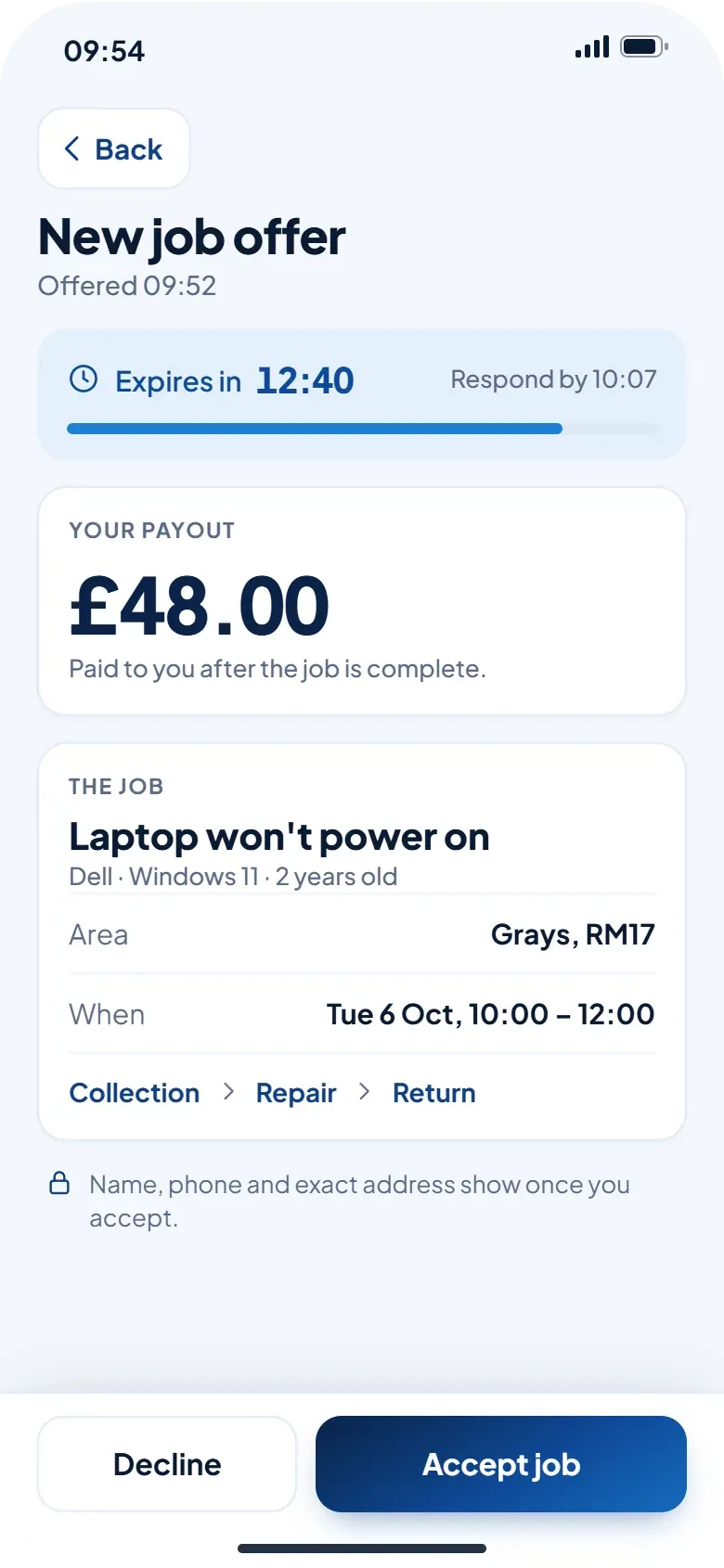
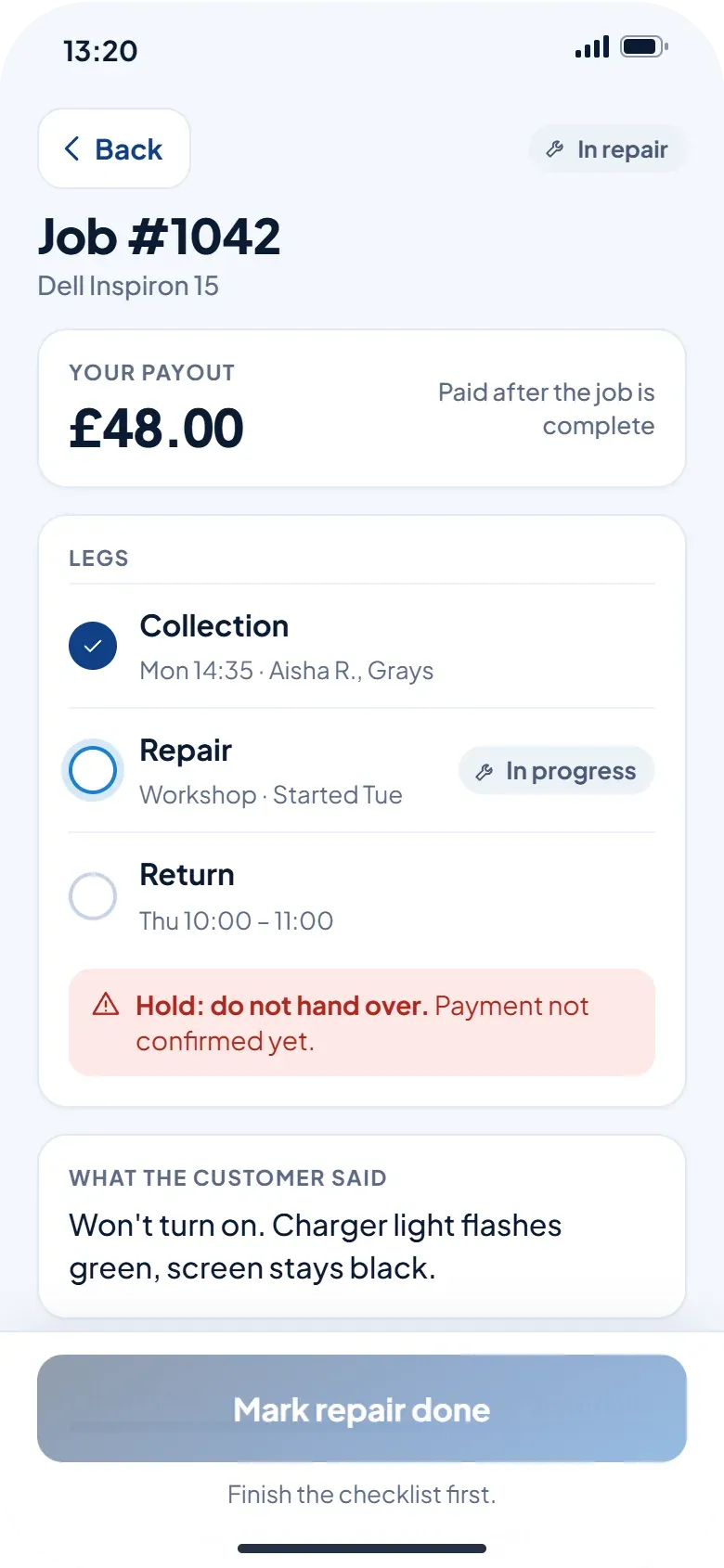
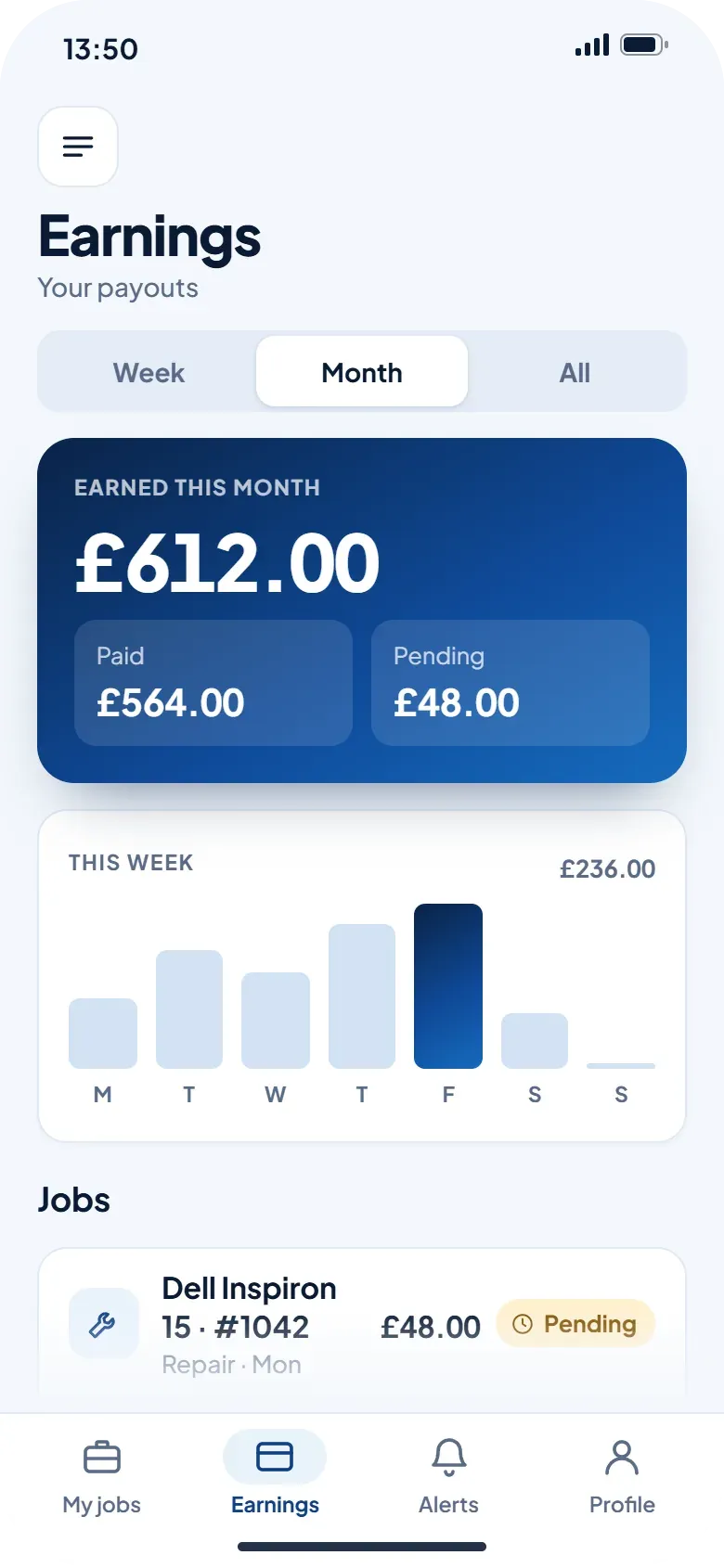
Technicians use their own side of the app: job offers with a countdown, directions to the address, a checklist and condition record, and their payout shown on every job.
- Offers show the area, the job and your payout
- Directions and status updates in a tap
- Earnings in one place
Questions
About the app
Does the app cost anything?
No. The app is free. You only pay for your repair, and you get a quote before any work starts.
Do I need the app to use you?
No. You can describe your issue on the website or message us on WhatsApp. The app just keeps your messages, quote, status and receipts in one place.
How do I sign in?
With a code we send by text to your mobile number. There is no password to remember.
Does the assistant diagnose my computer?
No. It asks a few questions and writes down what you tell us, so we know what to look at. We review it and reply with the next step and a quote.
What happens to my details?
We use them to run your repair and contact you about it. Card payments go through Stripe, so we never see or store your card number. You can ask us to delete your account and the information linked to it at any time on our delete account page.
When can I download it?
The app is coming to the App Store and Google Play. Until then you can reach us from this website or on WhatsApp, and every enquiry works the same way.
Rather talk to someone?
Message us on WhatsApp or send an enquiry on the website. You get a quote before any work starts.